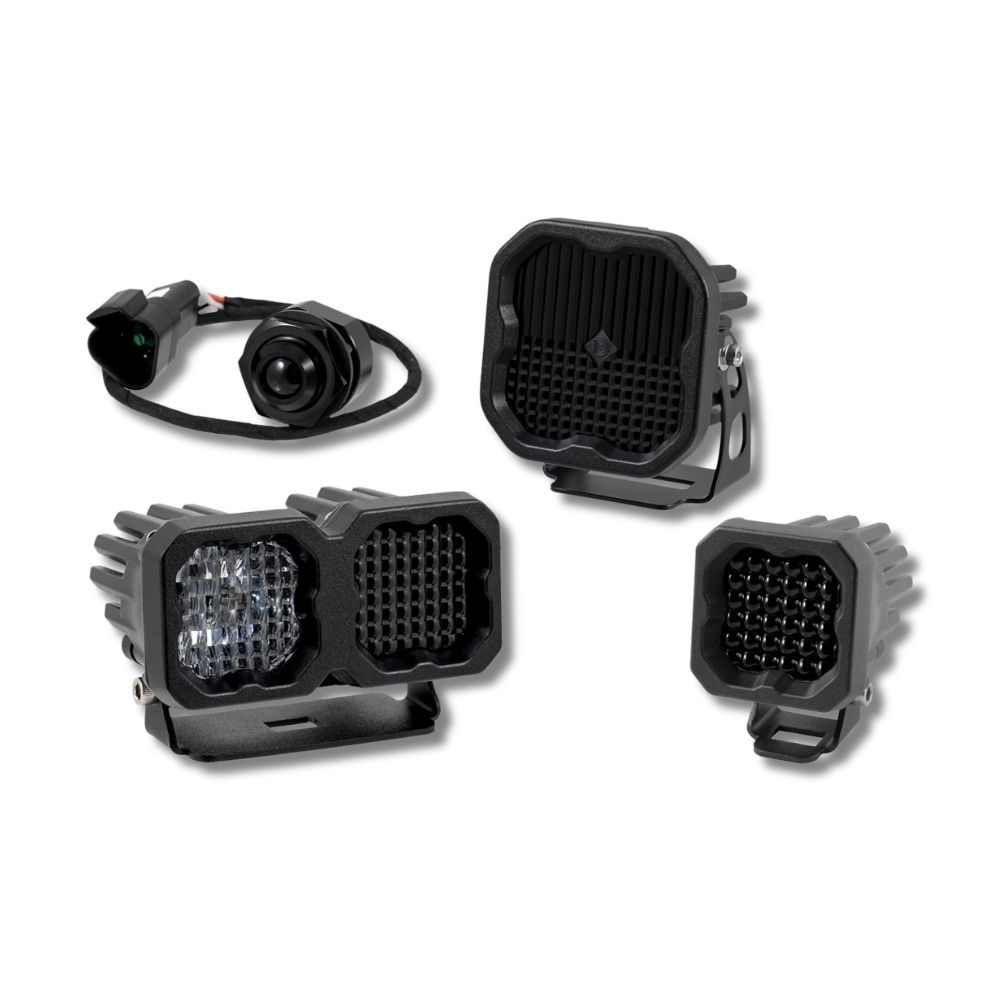
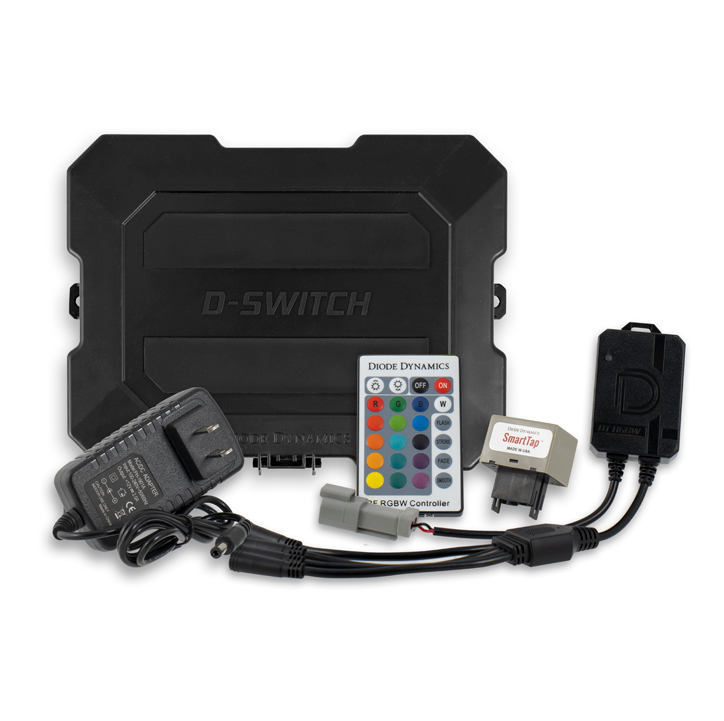



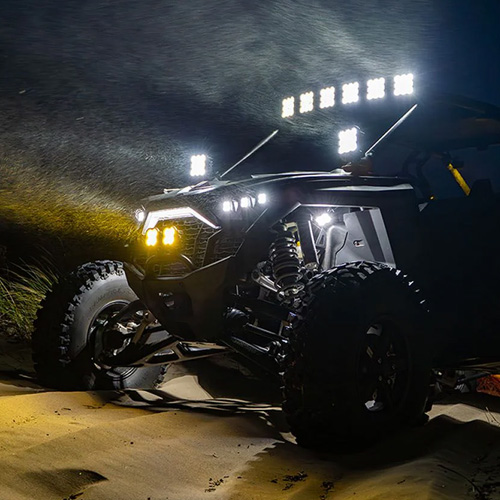
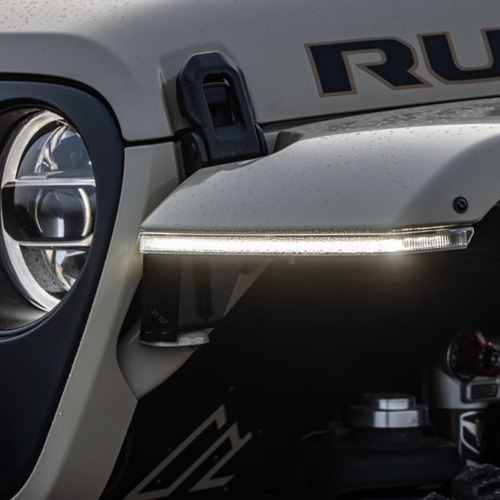


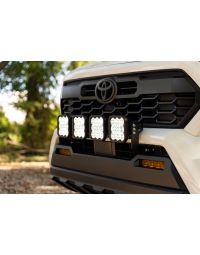
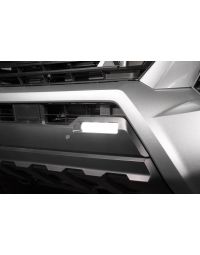
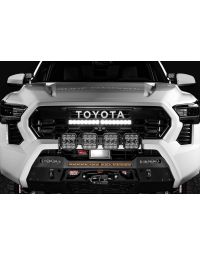
The Stealth Bumper Lightbar Kit for 2024-2026 Toyota Tacoma adds powerful, low-profile forward-facing illumination while maintaining a clean, factory appearance. This installation guide will provide you with detailed instructions on how to install the Stealth Bumper Lightbar Kit for 2024-2026 Toyota Tacoma. Continue reading for step-by-step instructions below!
Table of Contents
- Installation Tools
- Installation Instructions
- Questions About the Installation?
- Where Can I Buy the Stealth Bumper Lightbar Kit for 2024-2026 Toyota Tacoma?
Installation Tools
- Trim removal tool
- Pick tool
- Phillips screwdriver
- Flathead screwdriver
- 10mm socket
- 12mm socket
- 14mm socket
- 17mm socket
- 10" socket extension
- Bubble level
Installation Instructions
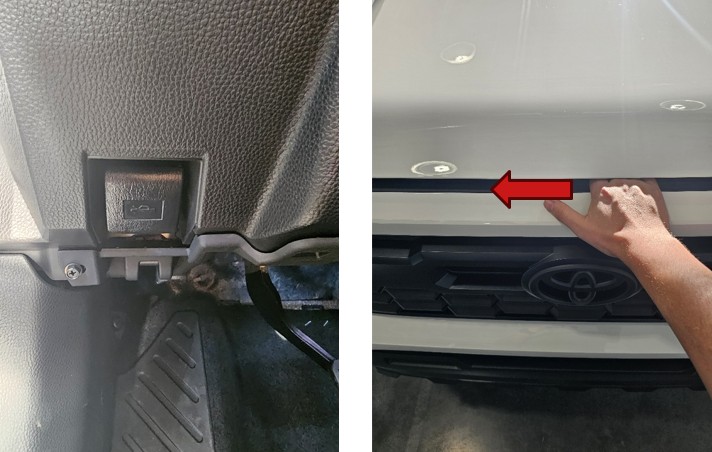
Step 1 — Open the Hood
Locate the hood latch and pull to release the hood. Slide your hand from right to left to release the safety lock and open the hood.
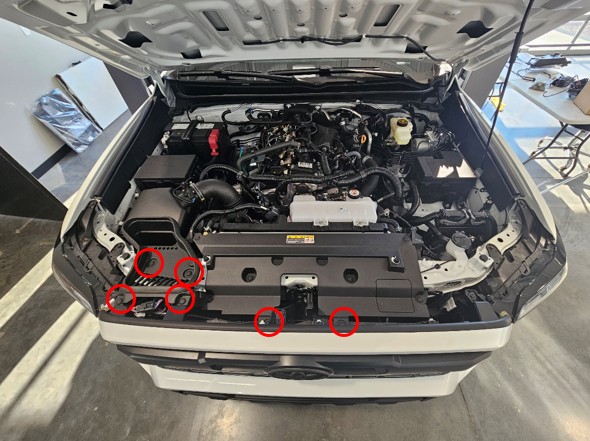
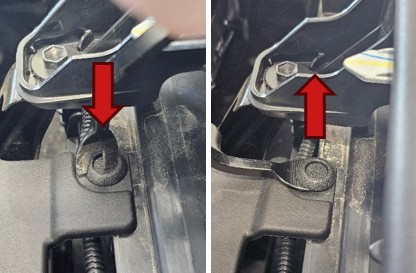
Step 2 — Remove Upper Bumper Clips
Remove the six button-style clips by pressing down the center with a trim tool, then prying the clip out.
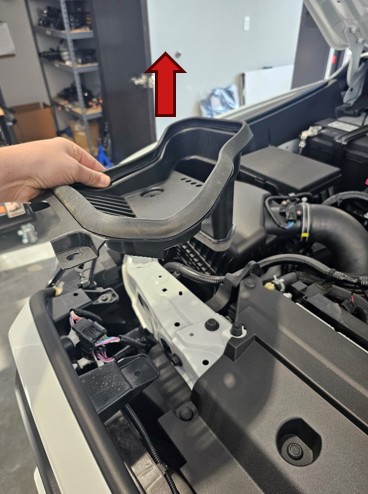
Step 3 — Remove Engine Air Intake Duct
Lift the engine air intake duct upward and remove it from the vehicle.
Step 4 — Remove Upper Bumper Bolts
Using a 10mm socket, remove the three bolts securing the top of the bumper.

Step 5 — Disconnect Headlamp Connectors
Disconnect the two multi-pin electrical connectors located near the passenger-side headlamp.
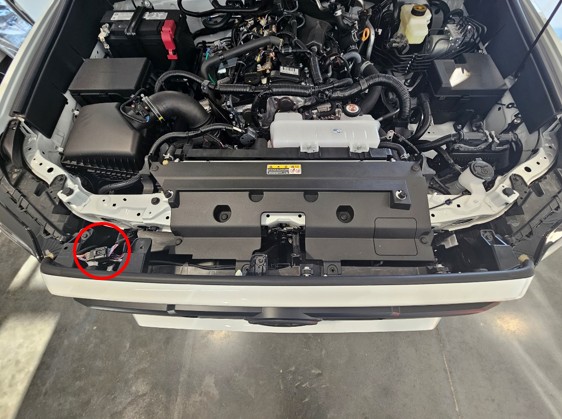

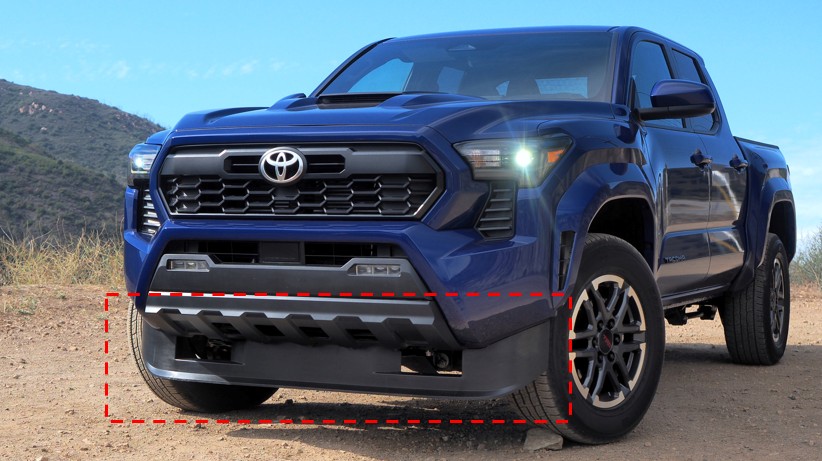
Step 6 — Remove Front Air Dam (If Equipped)
If your Tacoma is equipped with a factory front air dam, remove it at this time.
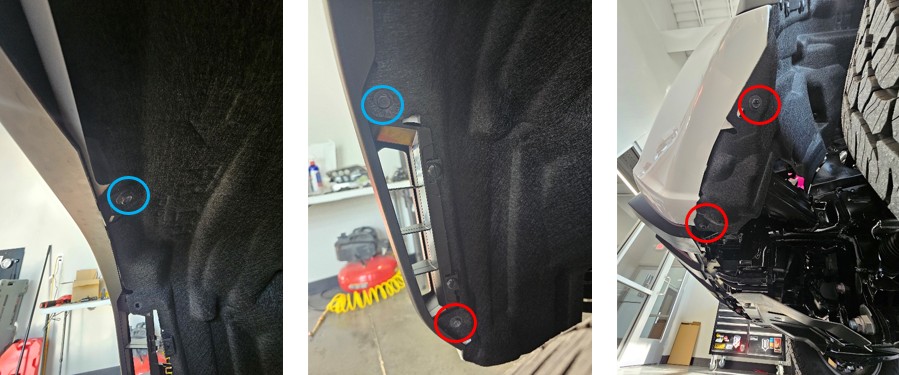
Step 7 — Remove Wheel Liner Screws
Using a 10mm socket, remove the five screws securing the driver-side wheel liner. Repeat this step on the opposite side.
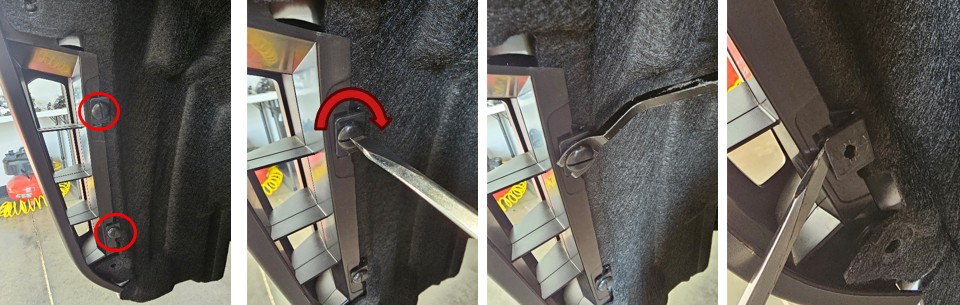
Step 8 — Remove Twist Clips
Rotate the twist clips 90 degrees using a flathead screwdriver, then remove the center pin and pry the clip assembly out. Repeat on the other side.
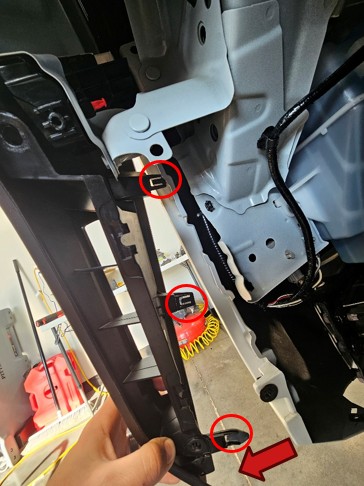
Step 9 — Release Fender Flares
Carefully pull back the fender liner and release the fender flare by squeezing the three retaining clips while pulling outward. Repeat on the opposite side.
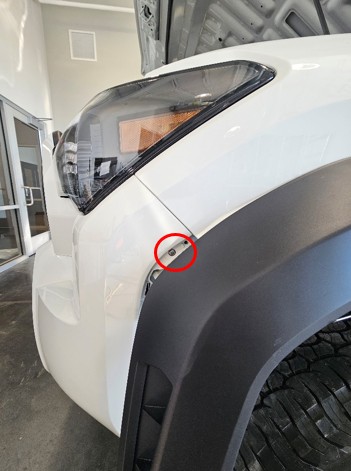
Step 10 — Remove Fender Screws
Remove the single Phillips screw located behind each fender flare.
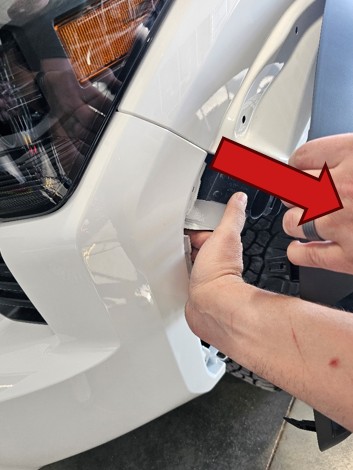
Step 11 — Release Bumper Sides
Flex the fender flare outward and gently pull the bumper panel outward to release it from the support structure. Repeat on the other side.
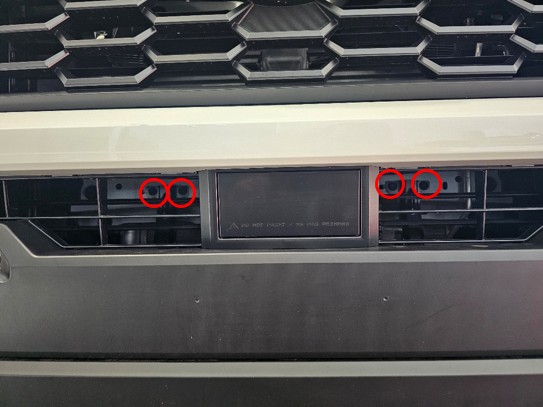
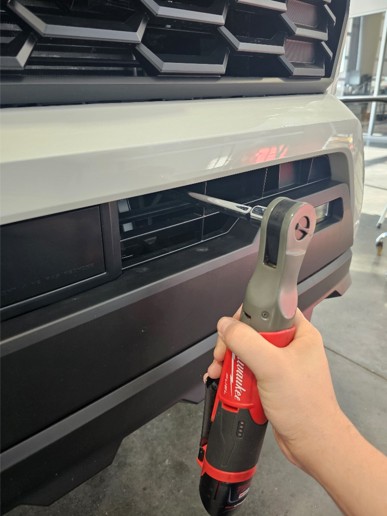
Step 12 — Remove Lower Grille Bolts
Using a 10mm socket and extension, remove the four bolts located behind the lower grille.
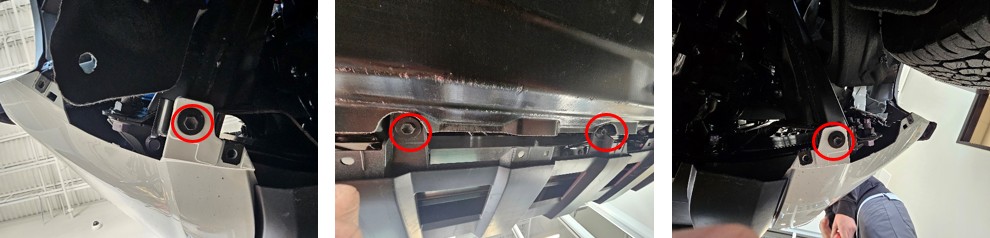
Step 13 — Remove Lower Bumper Bolts
Remove the four bolts underneath the front bumper using a 10mm socket.
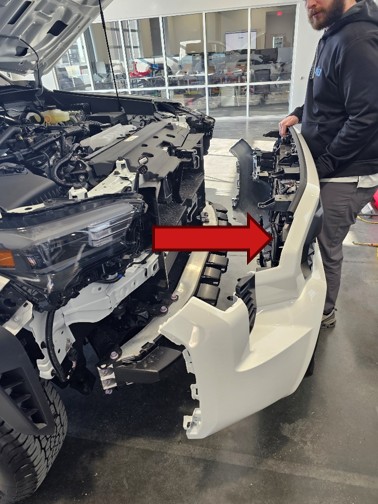
Step 14 — Remove Front Bumper Assembly
Pull the bumper assembly forward and away from the vehicle. Place it on a padded surface to prevent damage.
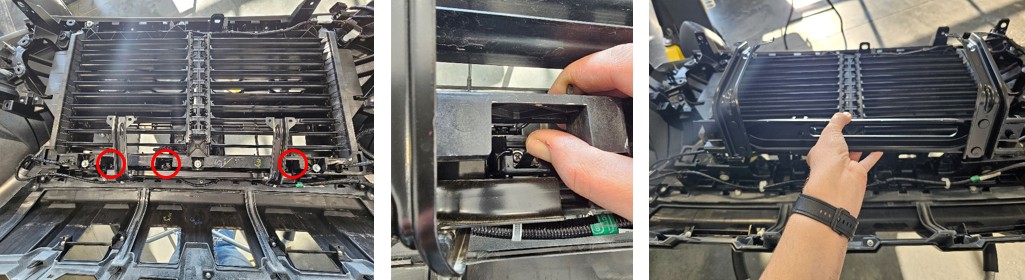
Step 15 — Remove Mid Support
With the bumper face down, release the mid support by pressing up on the three clips and pulling it free.
Step 16 — Reinstall Mid Support to Vehicle
Using the previously removed hardware, reinstall the mid support back onto the vehicle.
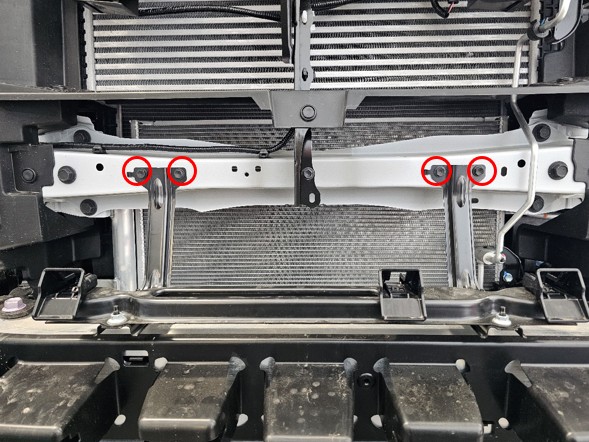
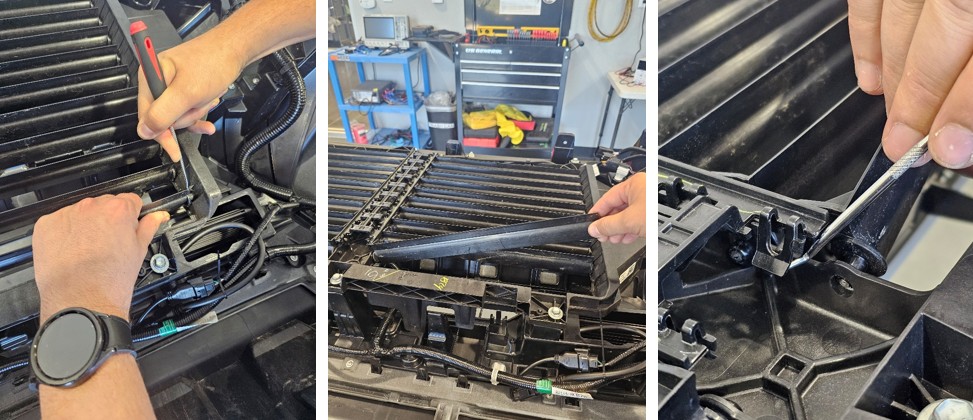
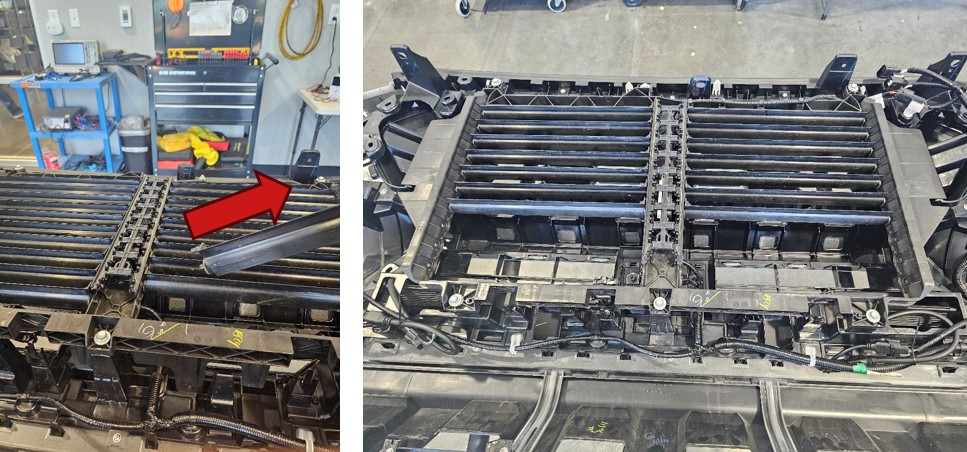
Step 17 — Remove Active Shutter Panels
Remove the lower active shutter panels using a pick tool. These components will not be reused.
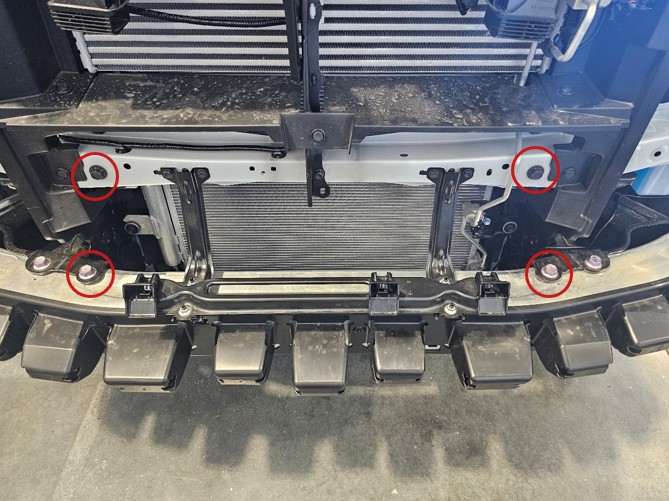
Step 18 — Remove Subframe Bolts
Using a 14mm and 17mm socket, remove the four bolts securing the subframe area.
Step 19 — Install Main Mounting Brackets
Install the driver-side and passenger-side mounting brackets using the factory bolts. Hand-tighten only at this stage.
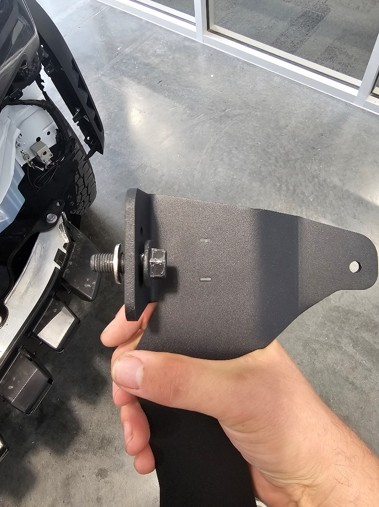
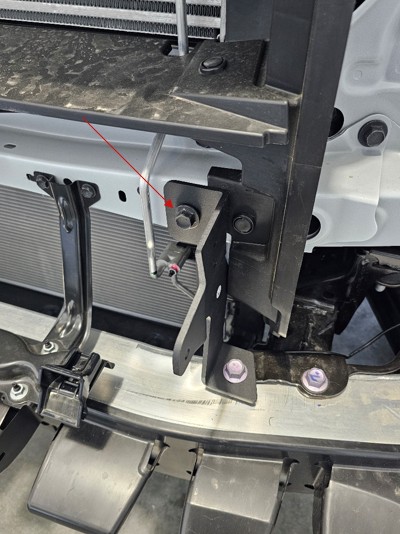
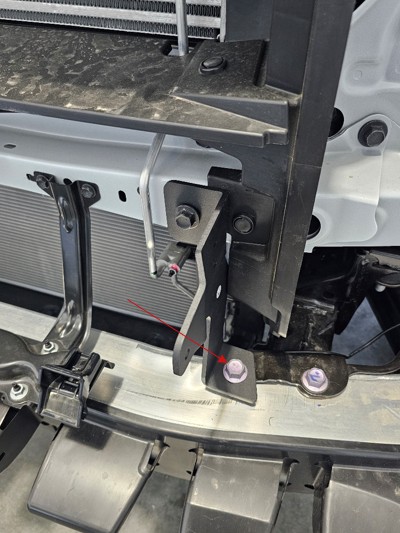
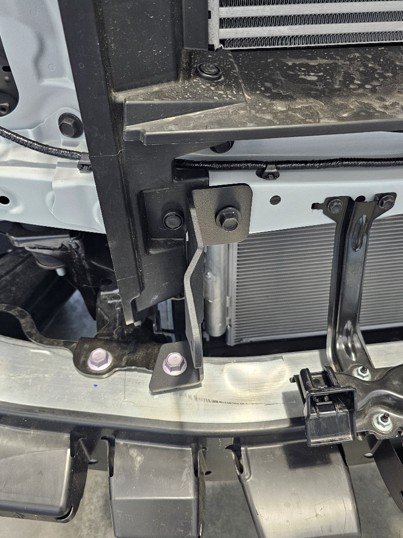
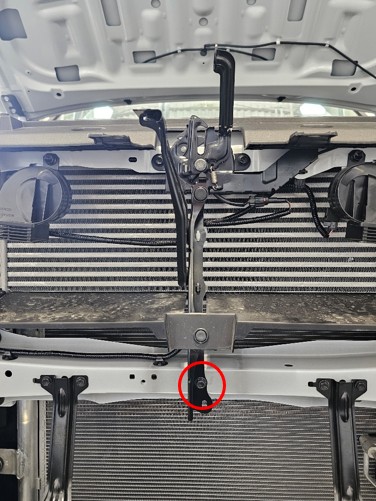
Step 20 — Install Center Bracket
Slide the center bracket into position between the radiator support and latch support. Level it and tighten securely.
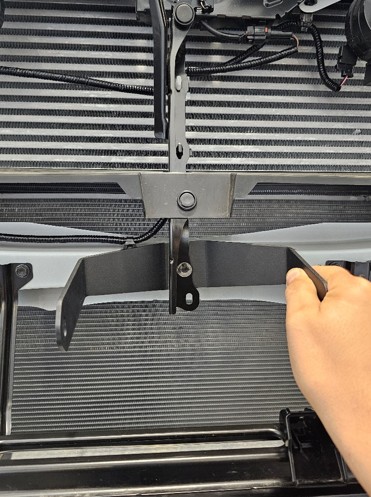
Step 21 — Mount the Lightbars
Attach the lightbars to the brackets using the included hardware, ensuring the connectors are oriented to the driver's side.
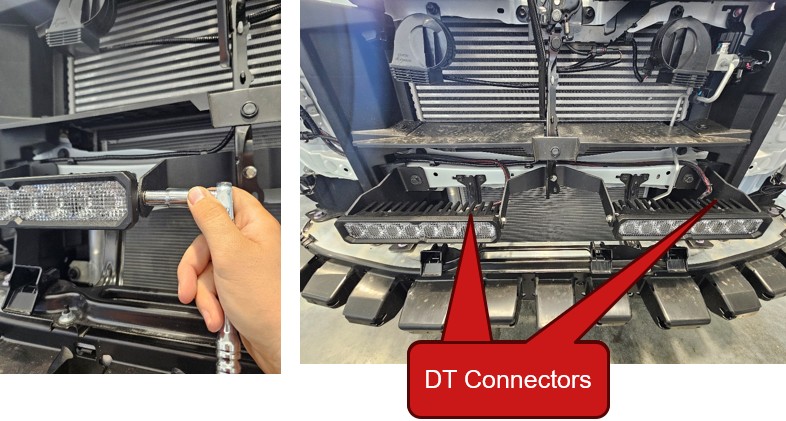
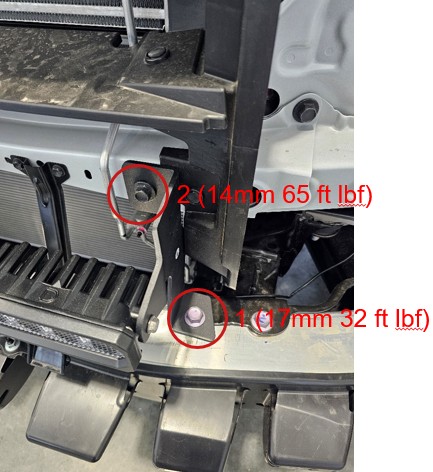
Step 22 — Torque Mounting Hardware
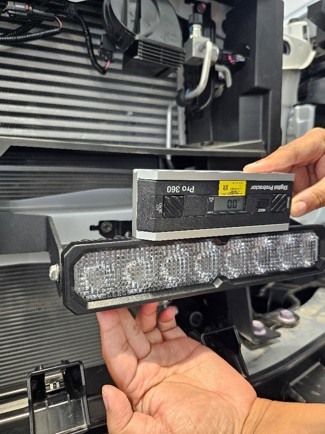
Torque the larger mounting bolt to 32 ft-lbs, followed by the smaller bolt to 65 ft-lbs. Verify the lightbars are level.
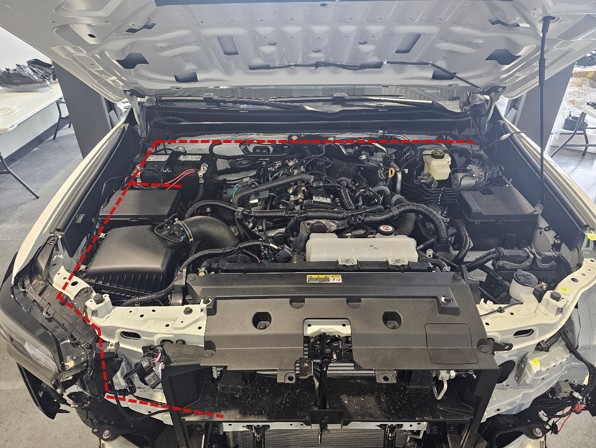
Step 23 — Route Wiring Harness
Route the wiring harness along the radiator support and secure it using zip tie points on the brackets.
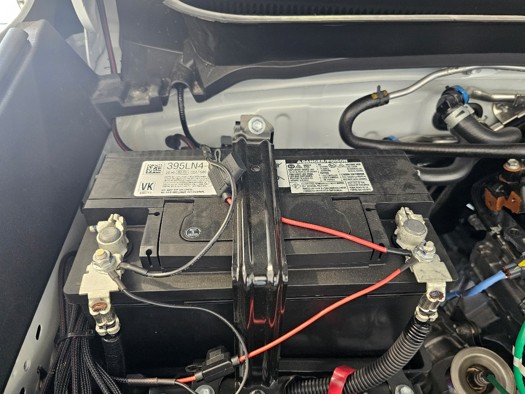
Step 24 — Connect Power and Ground
Connect the power and ground leads directly to the battery using a 12mm socket.
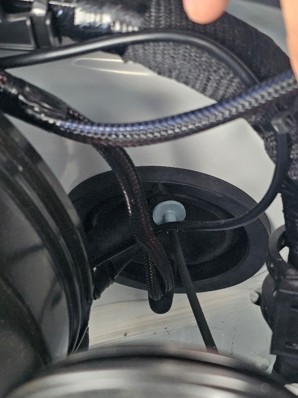
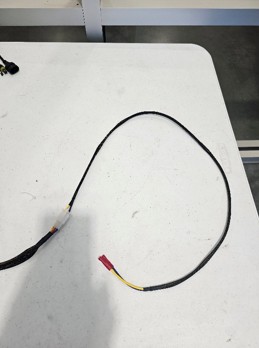
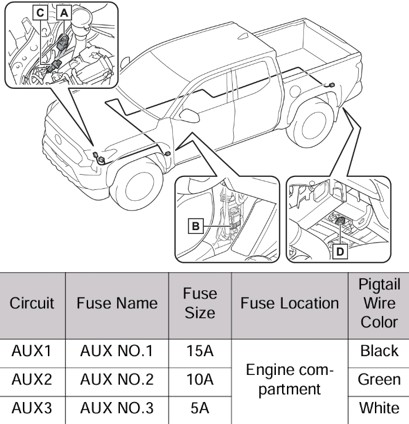
Step 25 — Route Switch Through Firewall
Route the switch wiring through the factory grommet on the driver-side firewall. Optional auxiliary switch integration may be used if equipped.
Step 26 — Connect Lightbar Outputs
Connect the harness outputs to each lightbar and secure all wiring.
Step 27 — Reinstall Front Bumper
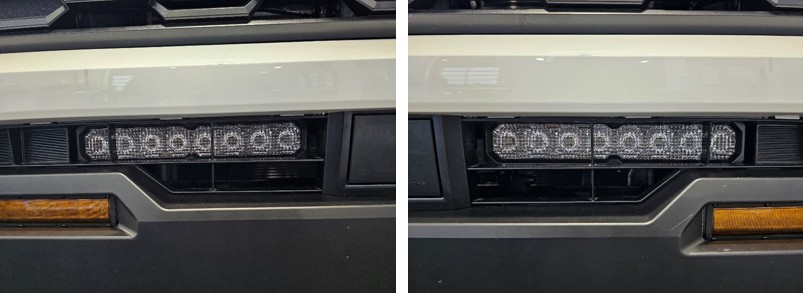
Reinstall the bumper assembly, ensuring the lightbars are centered within the grille openings.
Step 28 — Complete Reassembly
Reinstall all previously removed hardware by reversing the disassembly steps.
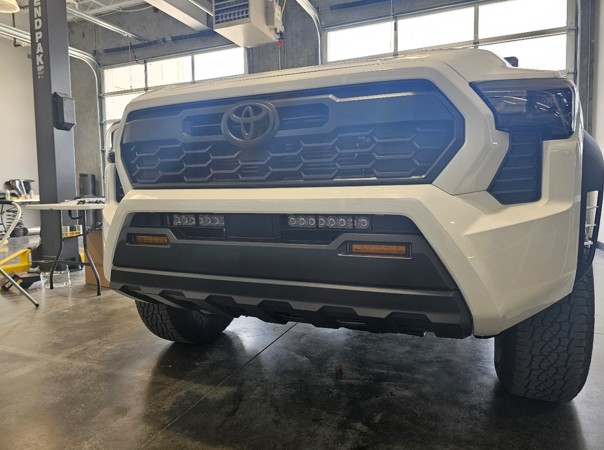
The installation is now complete. Enjoy your new Stealth Bumper Lightbar Kit for 2024-2026 Toyota Tacoma!
Questions About the Installation?
If you have any questions about installing the Stealth Bumper Lightbar Kit for 2024-2026 Toyota Tacoma, contact us via our support page.
Where Can I Buy the Stealth Bumper Lightbar Kit for 2024-2026 Toyota Tacoma?
If you're ready to upgrade your 2024-2026 Toyota Tacoma with the Stealth Bumper Lightbar Kit, visit DiodeDynamics.com or use our Dealer Locator to find a dealer near you.
Want to know more about Diode Dynamics products? Visit DiodeDynamics.com and subscribe to our newsletter for new product releases and more!
This Installation Guide is for the following SKU: DD7954, DD7956, DD8838, DD7955, DD7957, DD8839, DD7950, DD7952, DD8836, DD7951, DD7953, DD8837, DD7949P



Share This Post