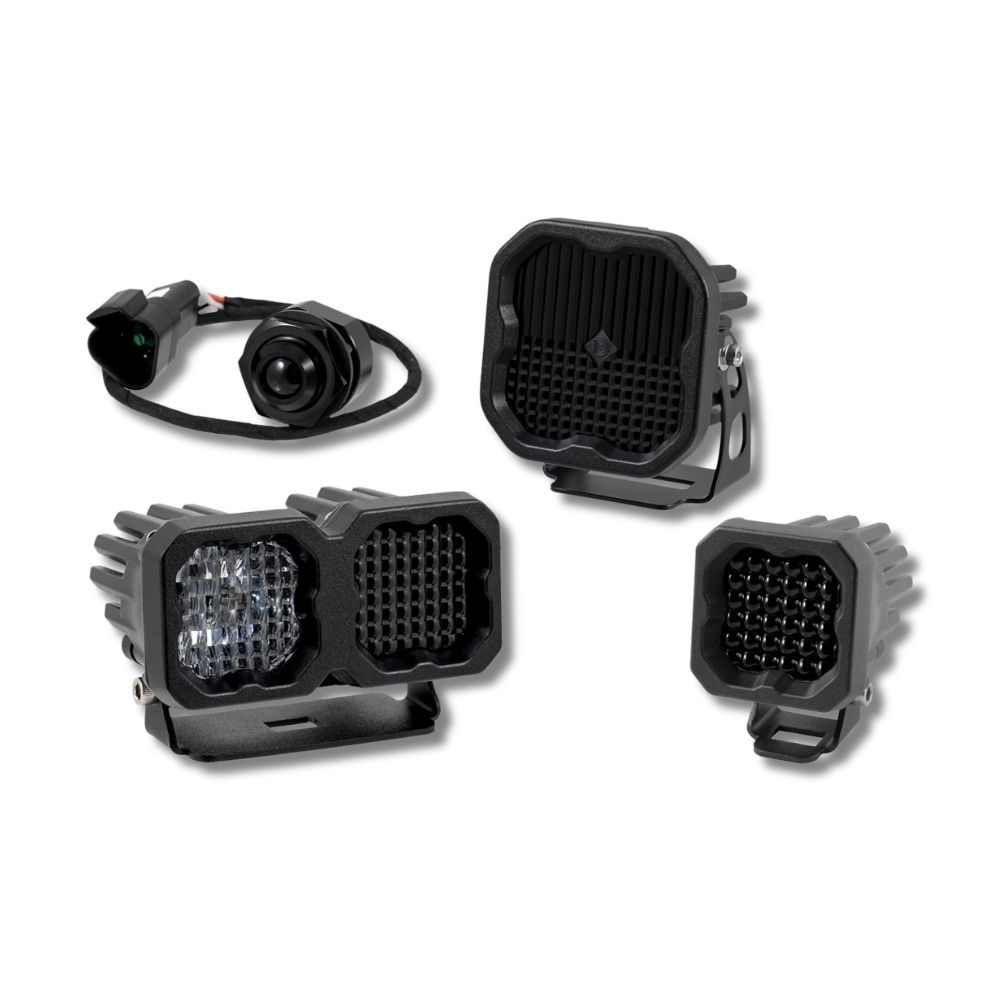





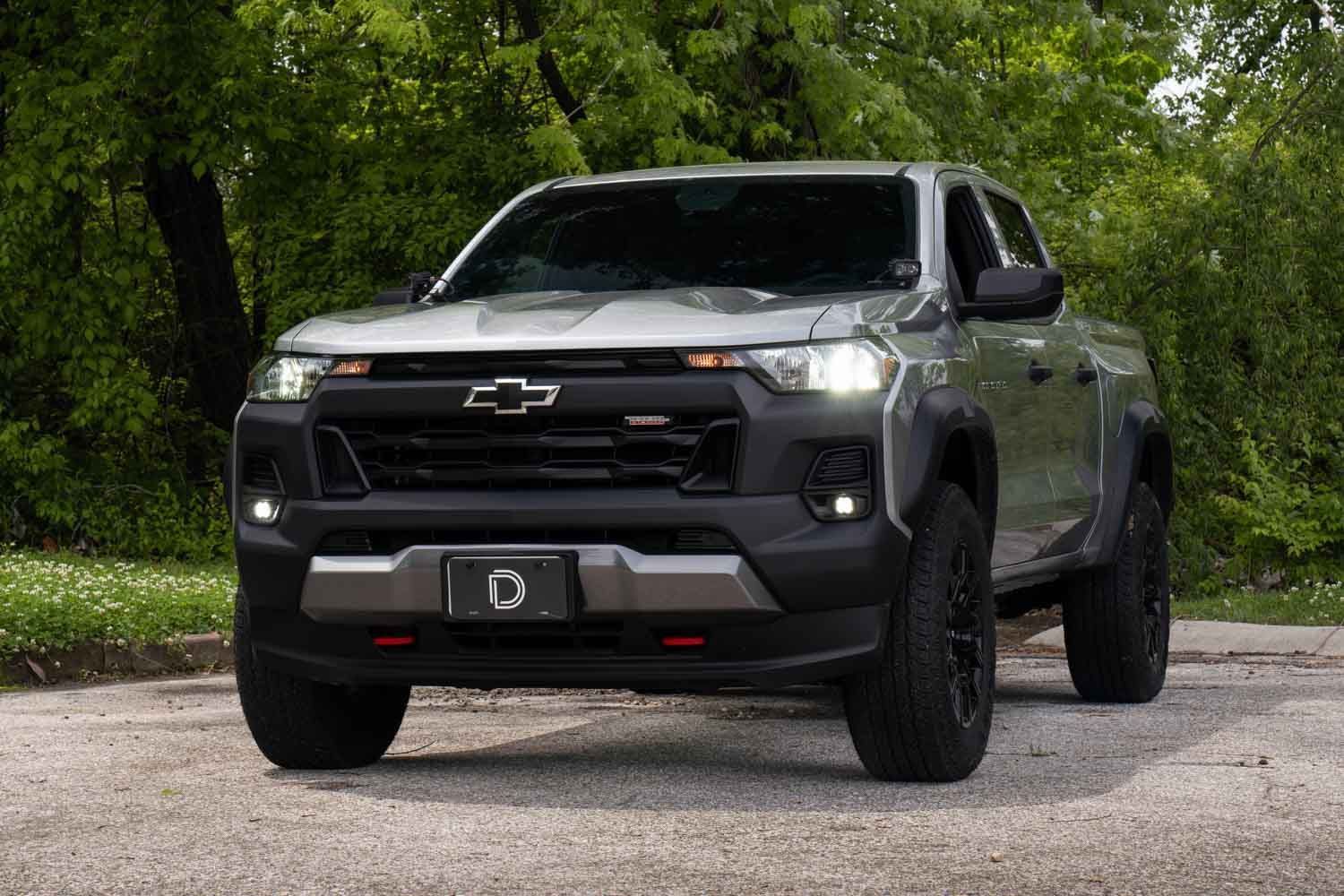
The SSC1 Add-On LED Fog Light Kit for the 2023-2026 Chevrolet Colorado adds SAE-compliant LED fog lights to the factory bumper for improved visibility and a clean, factory-style appearance. This installation guide includes instructions for both the original Colorado-specific brackets supplied with earlier kits and the updated Type G3M brackets now supplied with current kits. The updated Type G3M bracket design is compatible with ZR2 models. Watch our installation video or continue reading below for detailed instructions!
NOTE: If your Colorado is not equipped with factory fog lights, compatible GM fog light bezels are required to complete the installation. These can be purchased online or through a Chevrolet dealership. The left-hand bezel part number is 84770637, and the right-hand bezel part number is 84770638.
Table of Contents
- Installation Tools
- Installation Video
- Installation Instructions
- Original Bracket Installation
- Type G3M Bracket Installation
- Wiring Instructions for Vehicles Without Factory Fog Lights
- Aiming Instructions
- Questions About the Installation?
- Where Can I Buy the SSC1 Add-On LED Fog Light Kit for the 2023-2026 Chevrolet Colorado?
Installation Tools
- Trim removal tool
- T15 Torx driver
- 7mm socket
- 8mm deep socket
- 10mm socket
- 12mm deep socket
- Ratchet and extension
- 4mm Allen key
- 8mm wrench
- 3/8" wrench
- 13mm wrench
- Needle-nose pliers
- Pick tool or razor
- Wire fishing tool
Installation Video
NOTE: This video shows the original bracket design and the installation procedure for non-ZR2 models. If your kit includes the updated Type G3M brackets shown below, refer to the Type G3M Bracket Installation section.
Installation Instructions
Step 1 — Identify your bracket design
Before beginning the installation, compare the brackets included with your kit to the image below. Earlier kits include the original Colorado-specific brackets shown on the left. Current kits include the updated Type G3M brackets shown on the right. Both bracket designs are correct for their corresponding installation procedures.
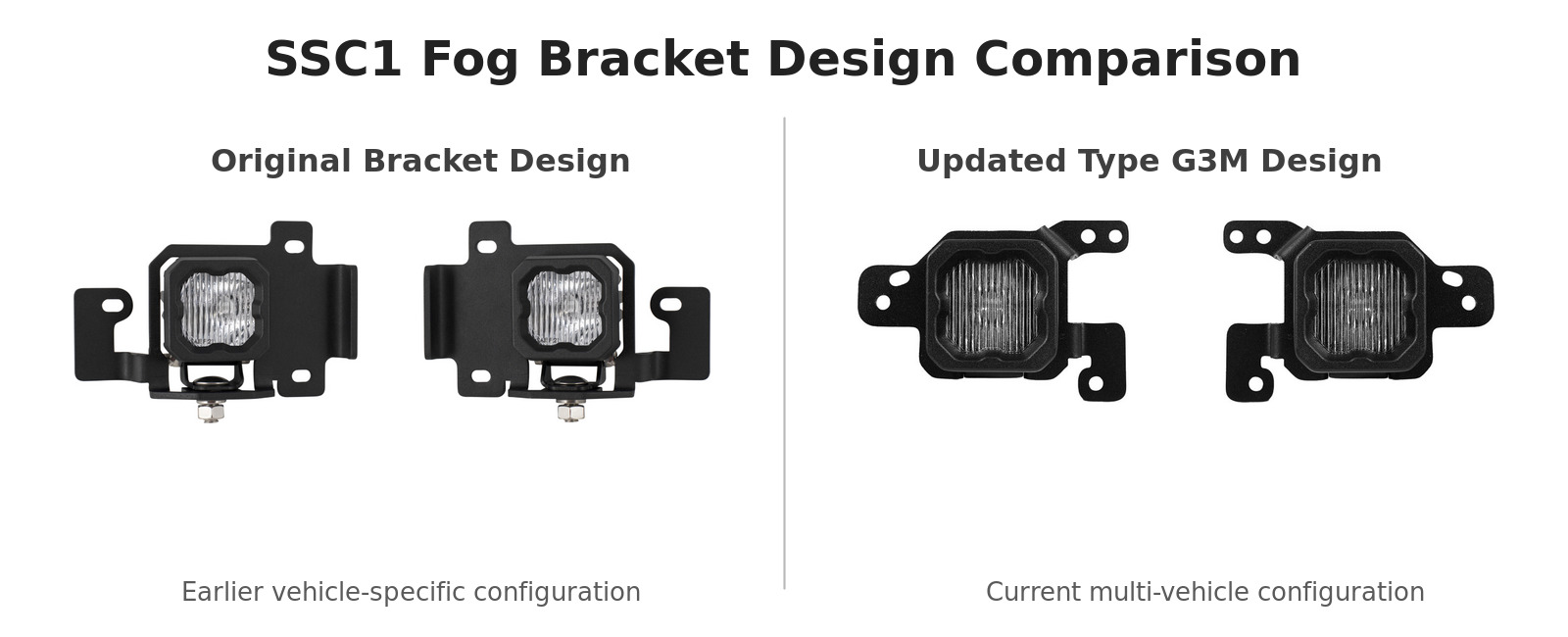
If your kit includes the original brackets, continue to the Original Bracket Installation section. If your kit includes the updated Type G3M brackets, skip to the Type G3M Bracket Installation section.
Original Bracket Installation
The following steps apply to earlier kits equipped with the original Colorado-specific brackets. These steps show installation on a non-ZR2 Colorado.
Step 1 — Gain access to the fog light mounting locations
Turn the front wheels outward for easier access. Using a T15 Torx driver, remove the seven screws securing the wheel-well liner.


Remove the two fasteners securing the inner fender. Depending on the trim, remove either one T15 screw and one push clip or two push clips. Repeat on the opposite side.

Step 2 — Assemble the SSC1 pods and original brackets
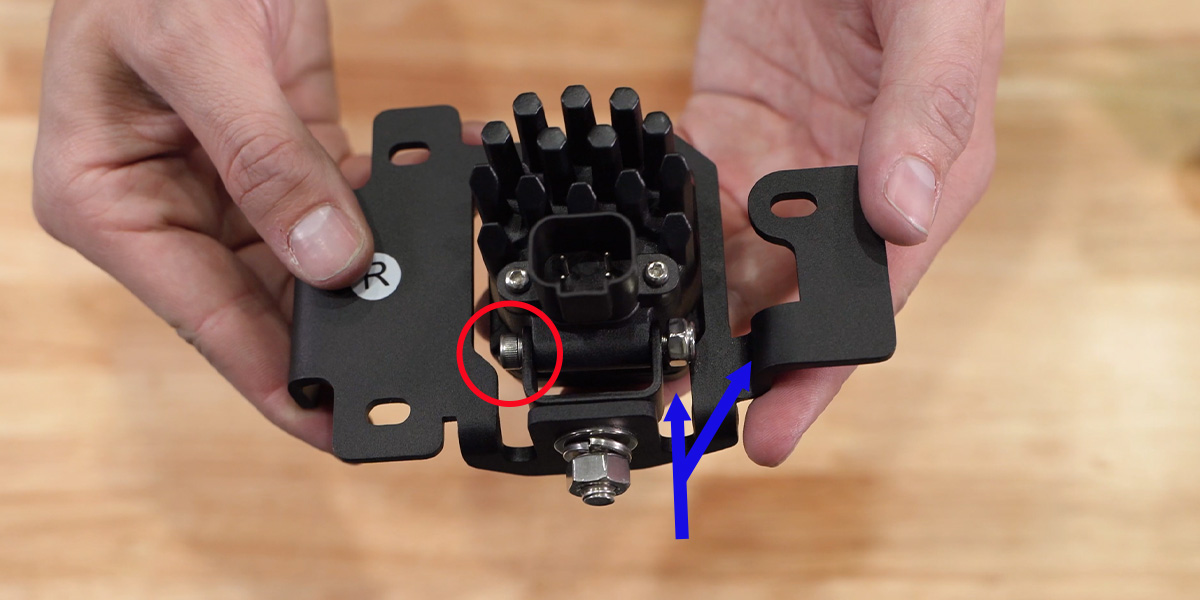
Using the included universal mounting hardware, install each SSC1 universal mount onto its fog light bracket in the orientation shown.

Install the flat washer, lock washer, and nut onto the mounting bolt. Using a 13mm wrench, tighten the hardware while keeping the back of the universal mount parallel with the fog light bracket.

Insert each SSC1 pod through the front of the bracket and align it with the universal mount. Insert the pod mounting bolt from the sticker side of the bracket, then install the nut. Using a 10mm wrench and 4mm Allen key, tighten the hardware.
Step 3 — Remove the factory blank fog light bezels
Locate the factory fog light mounting area on the passenger side. Reach through the access opening and push the back of the blank bezel toward the front of the vehicle to release it. Repeat on the driver side.

Step 4 — Install the original bracket assemblies
Preinstall two included bolts in the orientation shown, then place the nylon spacer onto the lower bolt.
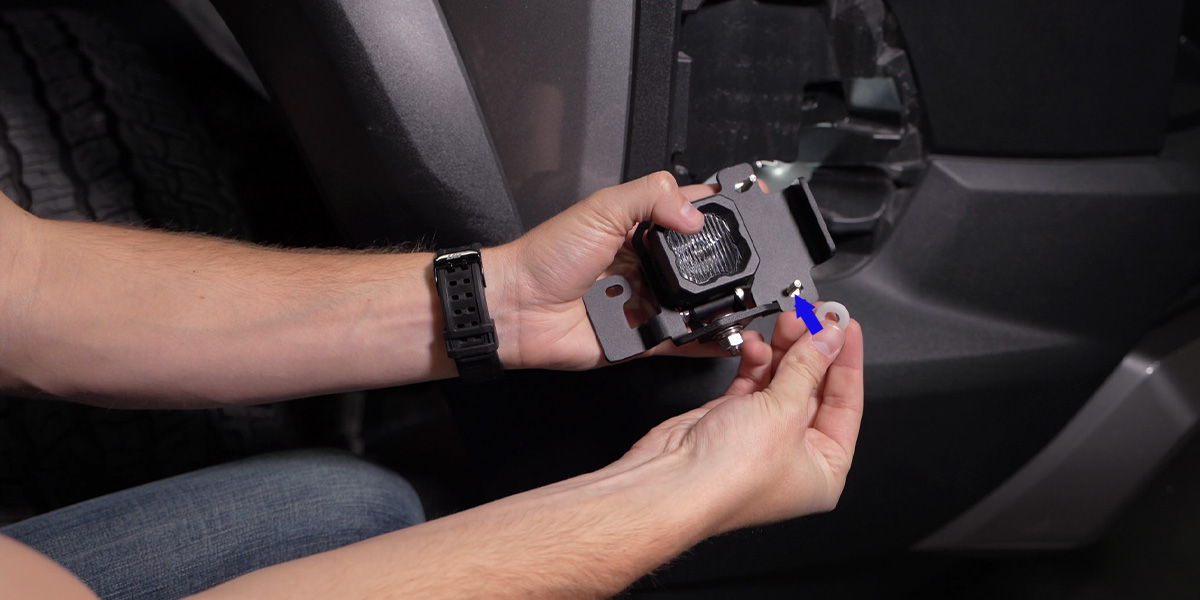
Keep the spacer on the lower bolt while aligning the bracket with the factory mounting holes. Hold the bracket in place and install the included washer and nut from the front of the bumper.
Install the third bolt through the remaining mounting point, followed by its washer and nut. Using an 8mm deep socket and 8mm wrench, tighten all three bolts until snug. Do not overtighten the hardware. Repeat on the opposite side.

Step 5 — Install the purchased fog light bezels
Align the bezel clips with the corresponding openings in the bumper. Press the bezel into place until each clip engages. Repeat on the opposite side.

If your Colorado does not have factory fog lights, continue to the Wiring Instructions for Vehicles Without Factory Fog Lights section.
Type G3M Bracket Installation
The following steps apply to current kits equipped with Type G3M brackets and include the additional bumper-removal procedure required for the Colorado ZR2.
For a reusable overview of the shared Type G3M bracket assembly, connections, testing, and aiming procedure, refer to the Type G3M SSC1 Fog Bracket Installation Guide.
Step 1 — Reposition the fender liners
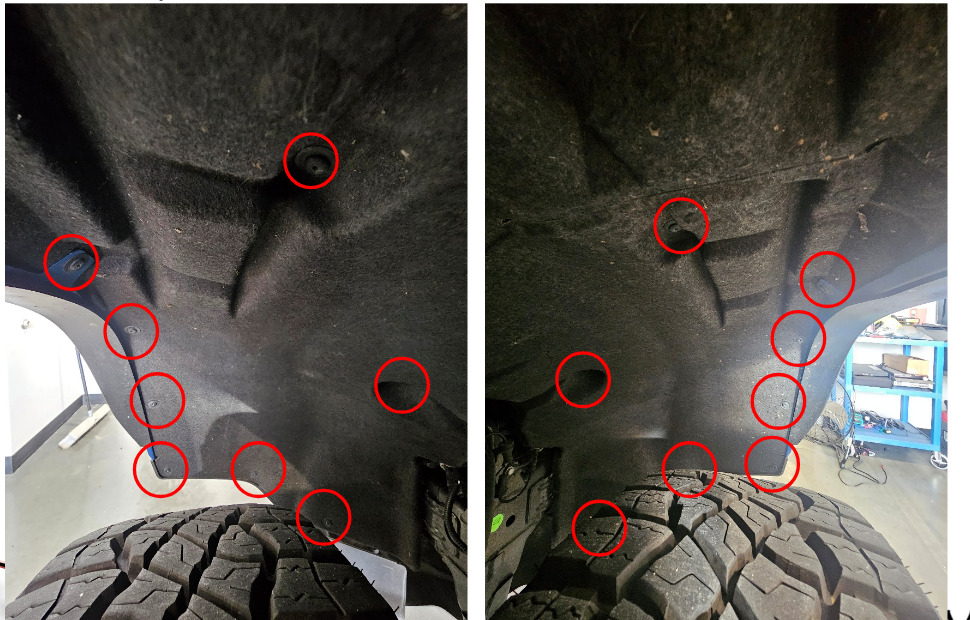
Using a T15 Torx driver, remove eight screws from each front fender liner. Reposition both liners out of the way.
Step 2 — Release the fender flares
Firmly grasp each front fender flare and pull it away from the body to release the plastic retaining clips.
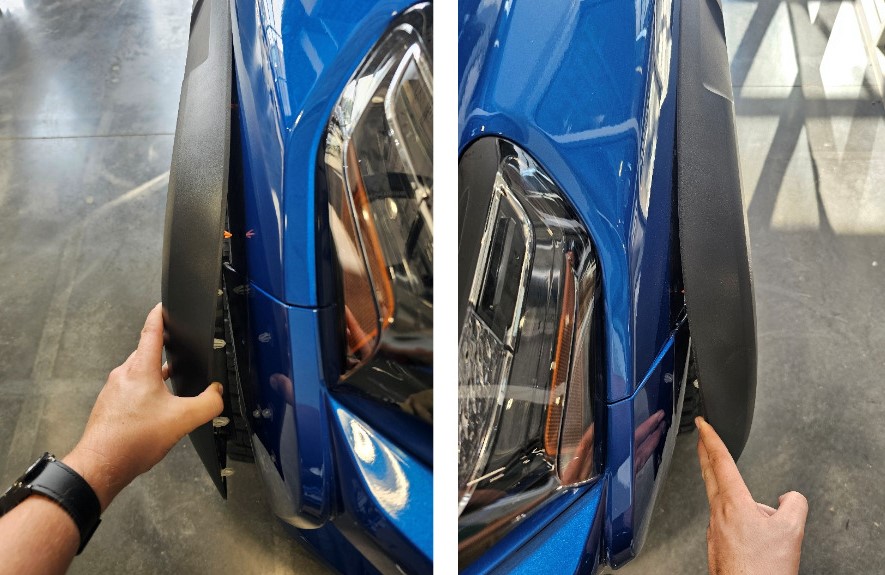
Step 3 — Loosen the bumper guide bolts
Using a 7mm socket and extension, loosen the two bumper guide bolts on each side of the vehicle. Once loose, carefully work the bumper tabs free.
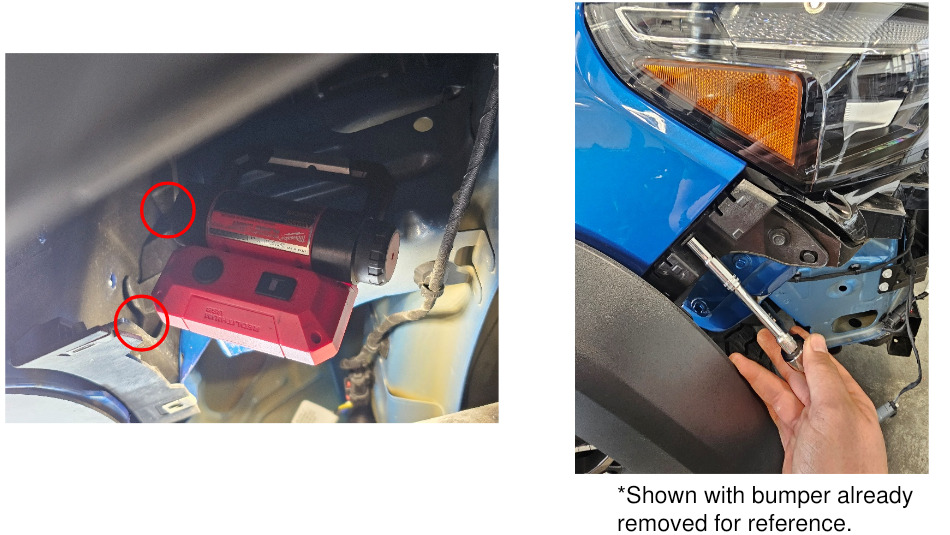
Step 4 — Disconnect the factory fog light harness
Disconnect the factory fog light harness. Using a trim removal tool, release the fir-tree clip securing the connector to the front bumper.
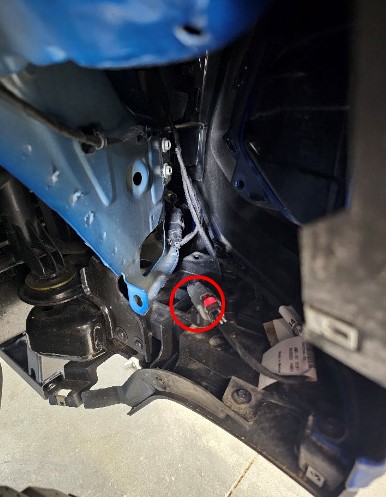
Step 5 — Remove the remaining bumper fasteners
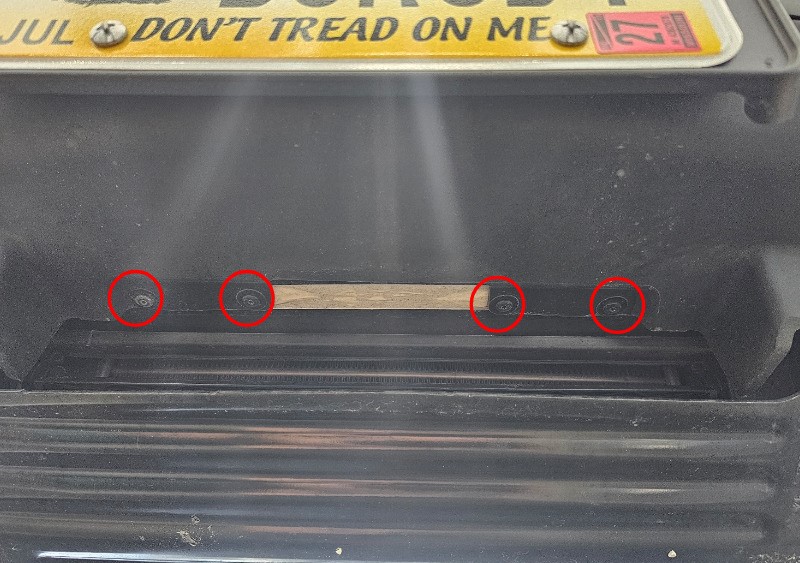
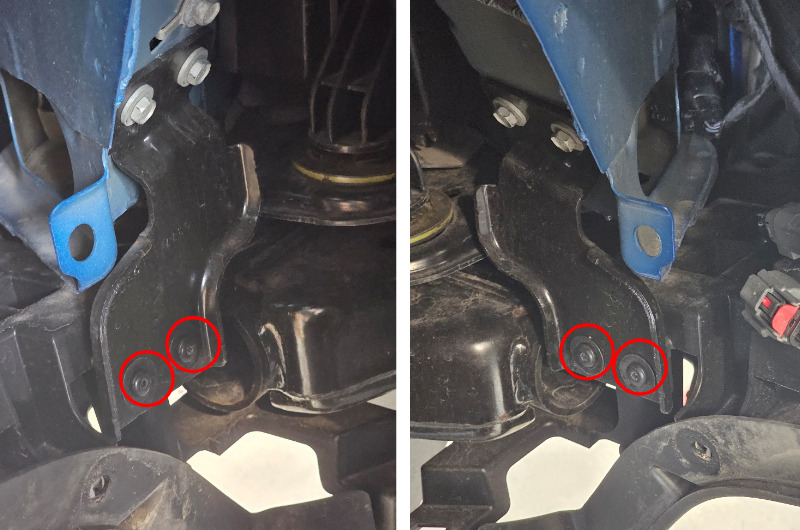
Using a T15 Torx driver, remove the four fasteners across the top of the bumper, the four fasteners beneath the bumper, and the two fasteners on each side of the wheel wells.
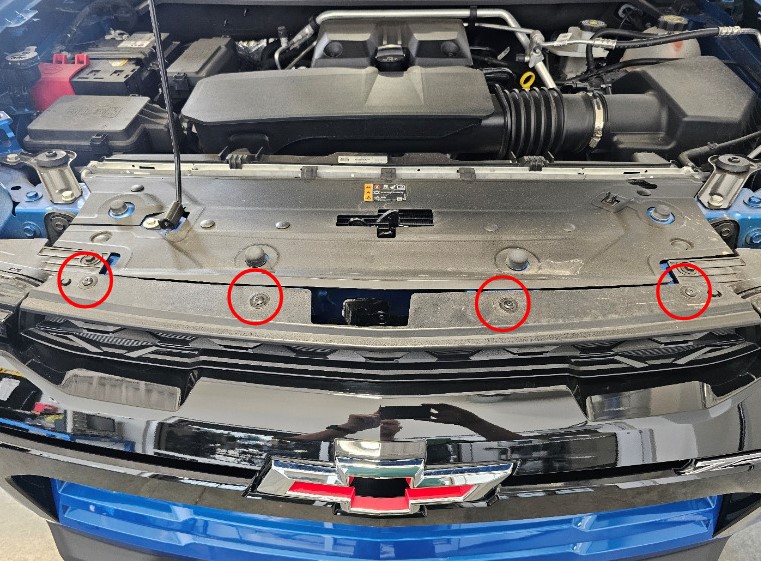
Step 6 — Remove the front bumper
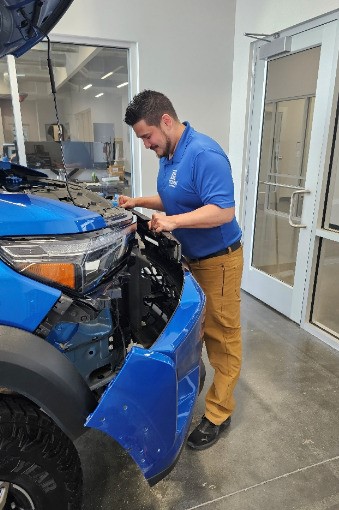
With assistance, carefully pull the bumper assembly away from the vehicle and place it on a protected work surface.
Step 7 — Remove the factory fog lights
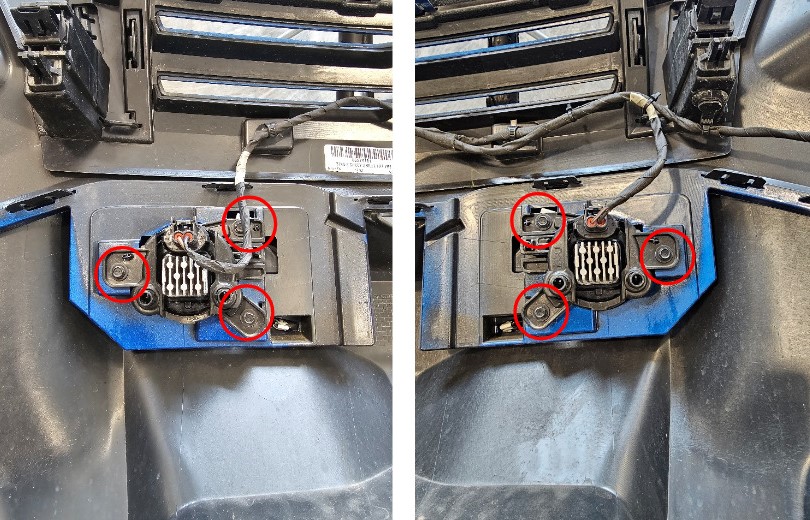
Disconnect the H11 connector from each factory fog light. Using a 10mm socket, remove the three factory fasteners securing each fog light, then remove both factory fog lights from the bumper.
Step 8 — Assemble the SSC1 pods and Type G3M brackets
Using a 4mm Allen key and 3/8" wrench, install the SSC1 pods into the left- and right-side Type G3M brackets in the orientations shown. Leave the pod hardware slightly loose for aiming.
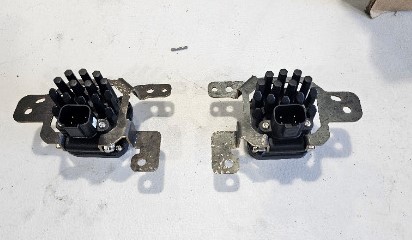
Step 9 — Install the Type G3M bracket assemblies
Position each Type G3M assembly in the corresponding factory fog light location. Using a 10mm socket, secure the brackets with the original fog light fasteners removed in Step 7.
Connect an included H11 adapter to each factory H11 connector. Confirm that the positive side of each adapter aligns with the brown-and-white wire on the factory connector, then connect the DT connector to the SSC1 pod.
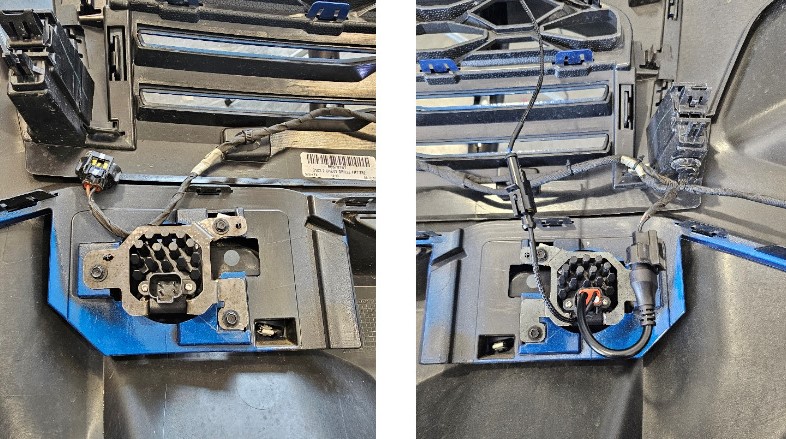
Step 10 — Remove the headlamps
Using a 10mm socket, remove the four fasteners securing each headlamp. Carefully pull each headlamp forward, disconnect its two electrical connectors, and release the fir-tree wire clip.
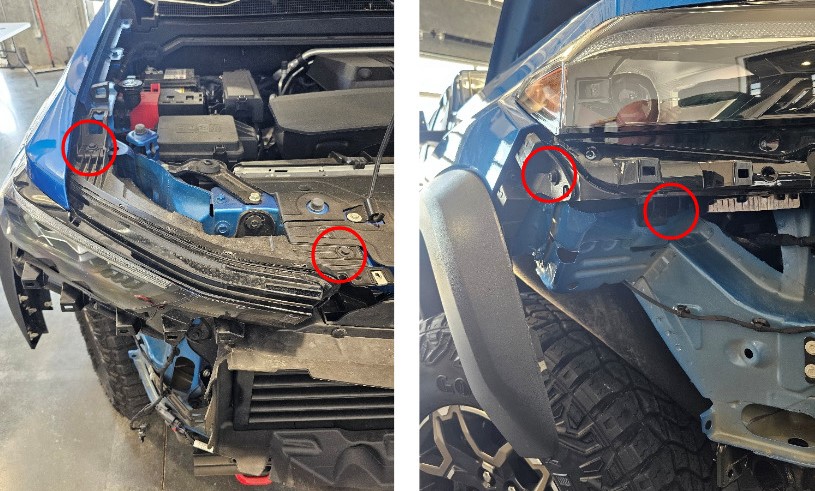
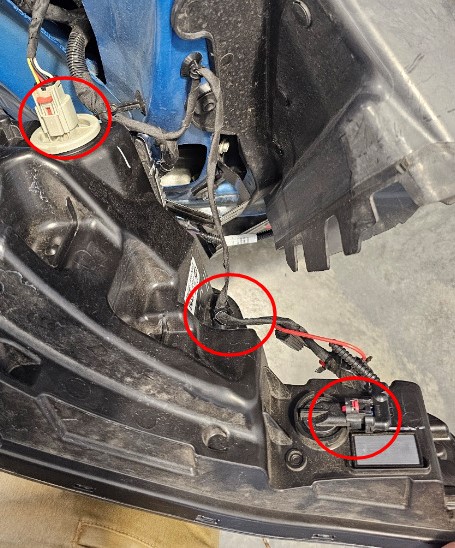
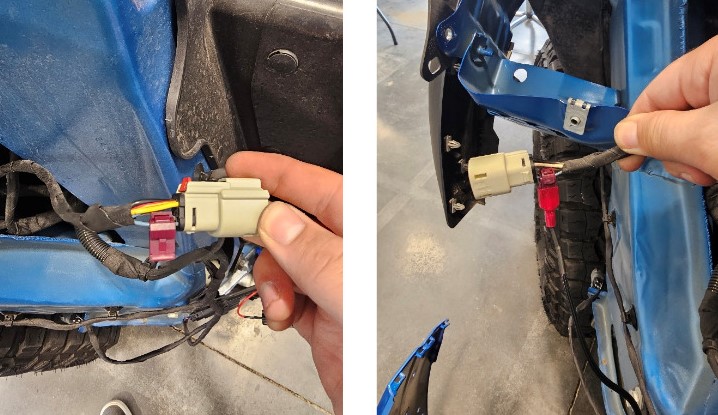
Step 11 — Connect the backlight trigger wires
At the right-side headlamp connector, install the included wire tap onto pin 6, which uses a blue-and-green wire. At the left-side headlamp connector, install the wire tap onto pin 6, which uses a white-and-yellow wire. Connect the corresponding backlight extension wire to each tap.
Step 12 — Reinstall the headlamps
Reconnect both electrical connectors and the fir-tree wire clip at each headlamp. Reinstall the headlamps with the factory fasteners removed in Step 10.
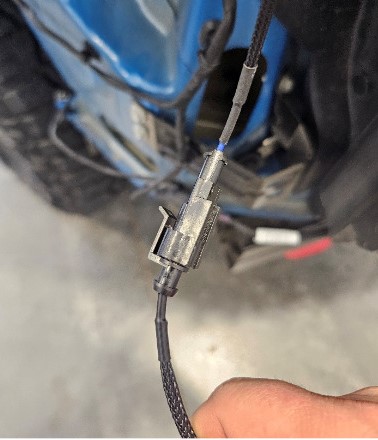
Step 13 — Connect the backlight extensions
Set the bumper assembly in front of the vehicle. Connect each backlight extension wire to the corresponding DT-to-H11 adapter harness.
Step 14 — Reinstall the bumper and test the lights
Hang the bumper assembly back onto the vehicle and reconnect the factory fog light harness disconnected in Step 4. Test both SSC1 fog lights before completing reassembly. The SSC1 backlights should illuminate with the parking lights.
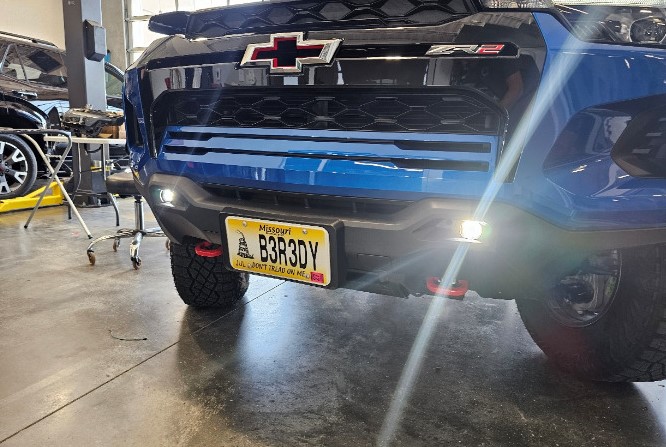
Step 15 — Aim the SSC1 pods
Check the SSC1 fog light aim before tightening the pod mounting hardware. The bumper may need to be moved away from the vehicle more than once to adjust the pods. Once the aim is correct, tighten the SSC1 pod hardware.
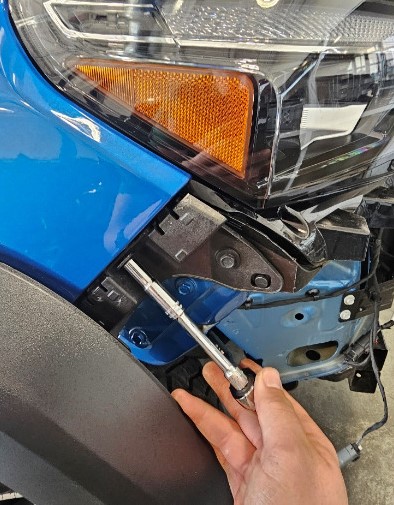
Step 16 — Tighten the bumper guide bolts
Before completing reassembly, tighten the bumper guide bolts loosened in Step 3. Accessing these bolts before fully attaching the bumper makes them easier to tighten. Do not overtighten.
Step 17 — Reassemble the front bumper
Reinstall the upper, lower, and wheel-well bumper fasteners. Reposition the fender liners and carefully press the fender flares back into place, confirming that every retaining clip engages.
Wiring Instructions for Vehicles Without Factory Fog Lights
The following wiring steps apply to installations using the included switch and relay harness. Vehicles using the factory fog light connectors and Type G3M H11 adapters can skip this section.
Step 1 — Route the switch wiring into the cab
Using a pick tool or razor, make a small opening in the firewall grommet beside the factory vehicle harness.
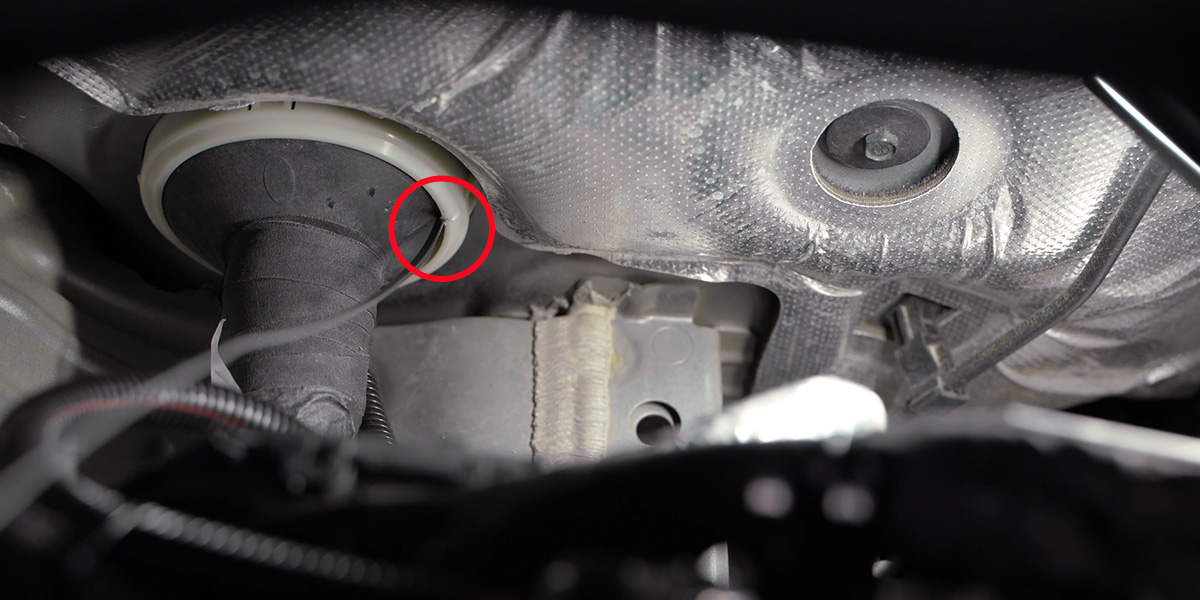
From the passenger-side floorboard, use a trim removal tool to remove the three fir-tree clips below the glove box. Pull the rear edge of the glove box panel downward to release it, then pull the carpet back slightly to expose the firewall access.
Move the grommet to the right and pass the two spade connectors on the switch wiring through the firewall. Pull the wires into the engine bay. Route the shorter switch-input lead toward the battery and the longer activation-input lead toward the passenger-side headlamp.
Remove the switch from its wiring. Using a wire fishing tool, route the switch harness beneath the center console and through the opening to the driver side. Set the black ground wire aside and route the other two leads across the steering column beneath the dashboard.
Using a 12mm socket, remove the factory ground nut. Install the ring terminal from the black ground wire, then reinstall and tighten the nut.
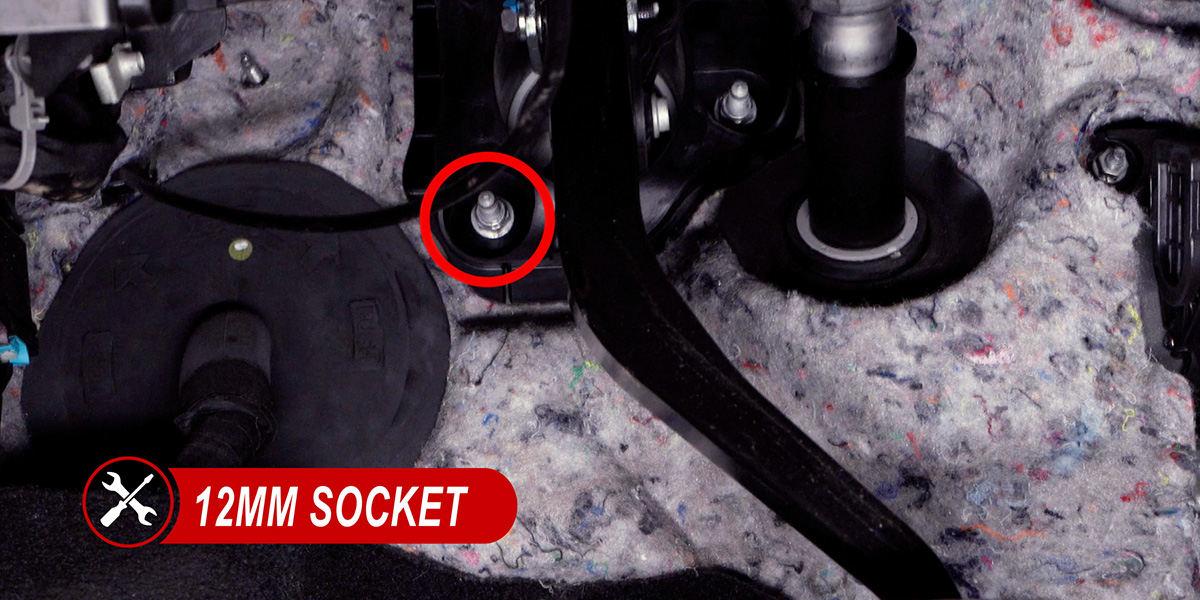
Route the black ground wire to the other switch leads and reconnect the switch. On the passenger side, tuck the wiring behind the carpet and reinstall the glove box panel with the three clips removed earlier.
Connect the relay's switch-input lead to the shorter lead routed toward the battery.
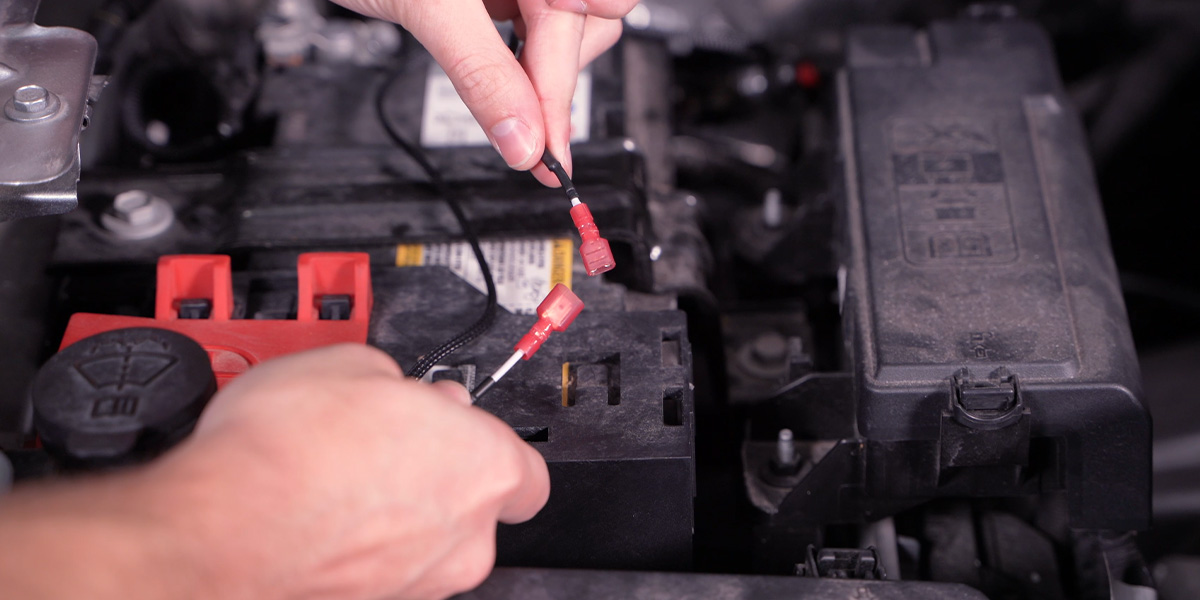
Step 2 — Install the relay and access the headlamp connector
Position the relay behind the battery with its wire outputs facing the front of the vehicle.
Using a 10mm socket, loosen the negative battery terminal. Slide the relay ground lead beneath the nut, then retighten the terminal.
To access the passenger-side headlamp connector, use a 10mm socket, extension, and ratchet to remove the two fuse-box mounting nuts shown below.

Press the locking clip near the battery away from the fuse box and lift the assembly to release it. Move the fuse box up and over the mounting studs, then position it to the right.
Reach through the opening and pull the red connector lock toward the rear. Press the locking tab while pulling the connector away from the headlamp.
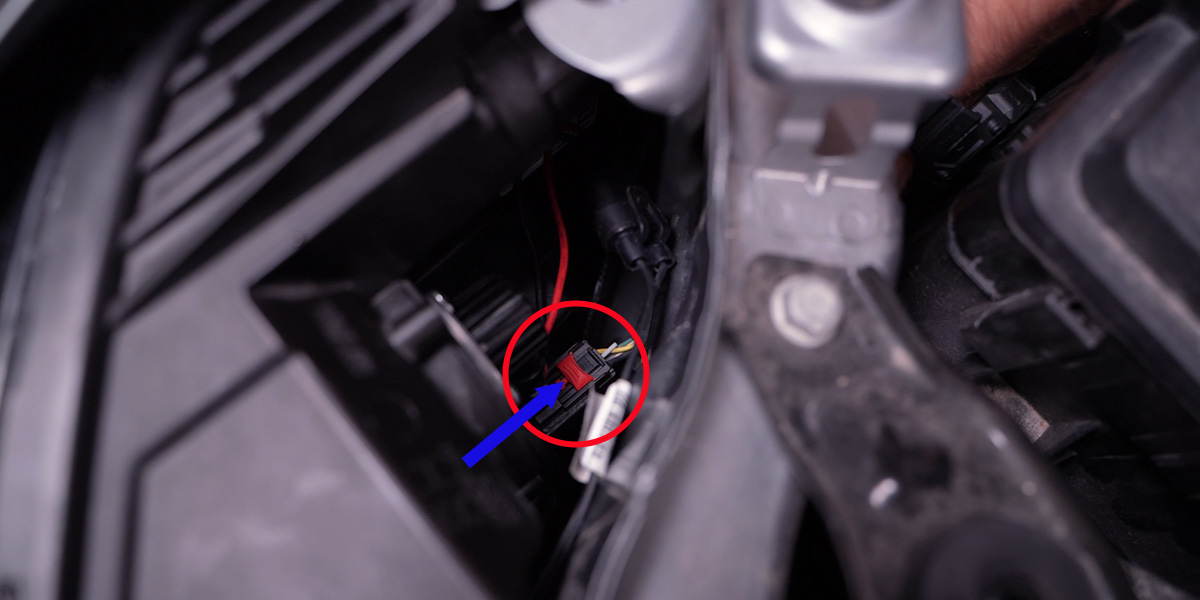
Step 3 — Install the activation wire taps
Pull the passenger-side headlamp connector above the headlamp and carefully remove approximately 1 inch of wire loom.
Install one wire tap onto the green parking-light wire, one onto the yellow low-beam wire, and one onto the white high-beam wire. Using needle-nose pliers, fully close each tap around its wire.
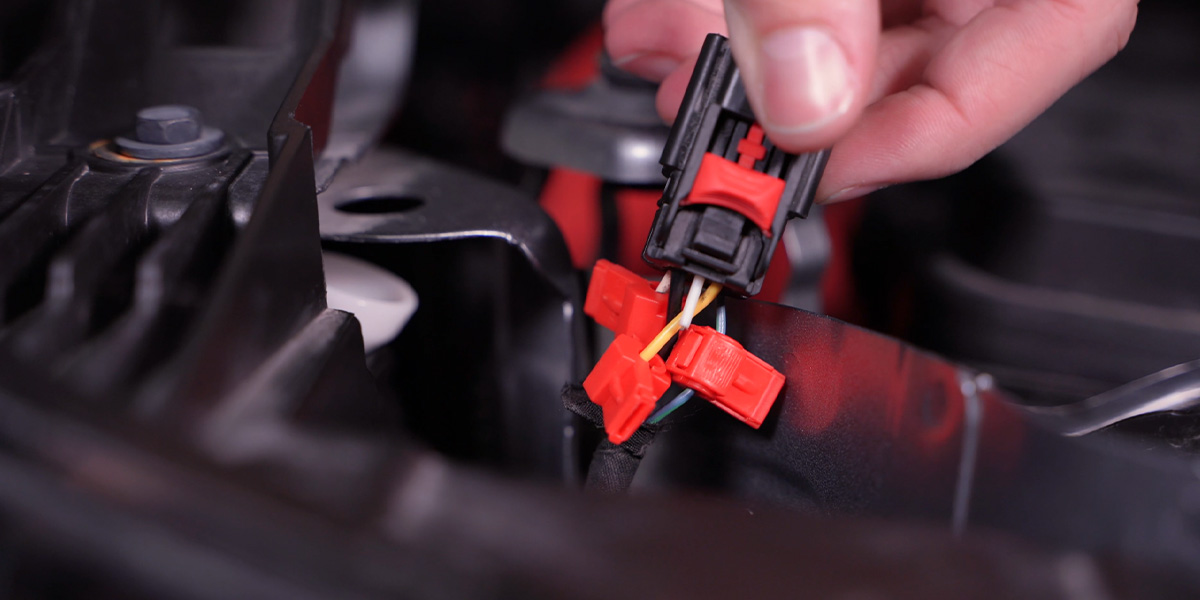
Connect the white activation lead to the tap on the yellow low-beam wire. Connect the blue backlight activation lead to the tap on the green parking-light wire. Connect the orange deactivation lead to the tap on the white high-beam wire. Reconnect the factory connector to the headlamp.
Step 4 — Route and connect the DT harness
Route the shorter DT harness lead behind the passenger-side headlamp and down to the fog light area. Remove the two fir-tree clips securing the front of the radiator cover, then route the longer DT harness lead beneath the cover.
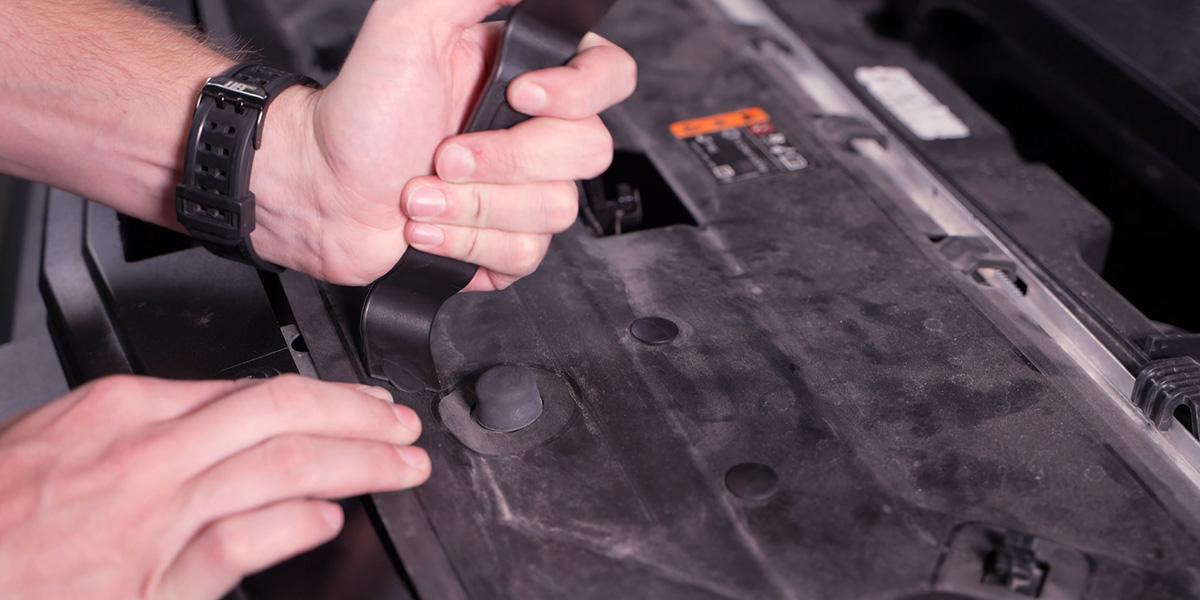
Route the longer DT connector through the opening behind the driver-side headlamp and down to the fog light area. Connect both DT connectors to the SSC1 pods and confirm that each locking tab clicks into place.
Step 5 — Test the lighting functions and reinstall the fuse box
Test the SSC1 functions. The backlights should illuminate with the parking lights, the fog lights should illuminate with the low beams, and the fog lights should turn off when the high beams are activated.
If the lights do not function as described, confirm that the activation, backlight, and deactivation leads are connected to the correct wire taps. Once operation is confirmed, reinstall the fuse box by reversing the removal procedure.
Aiming Instructions
Follow the Diode Dynamics Fog Light Aiming Instructions to aim the SSC1 fog lights for proper road illumination. On original-bracket installations, make adjustments through the fog bezel opening. On Type G3M installations, confirm the aim before completing bumper reassembly, as described above.
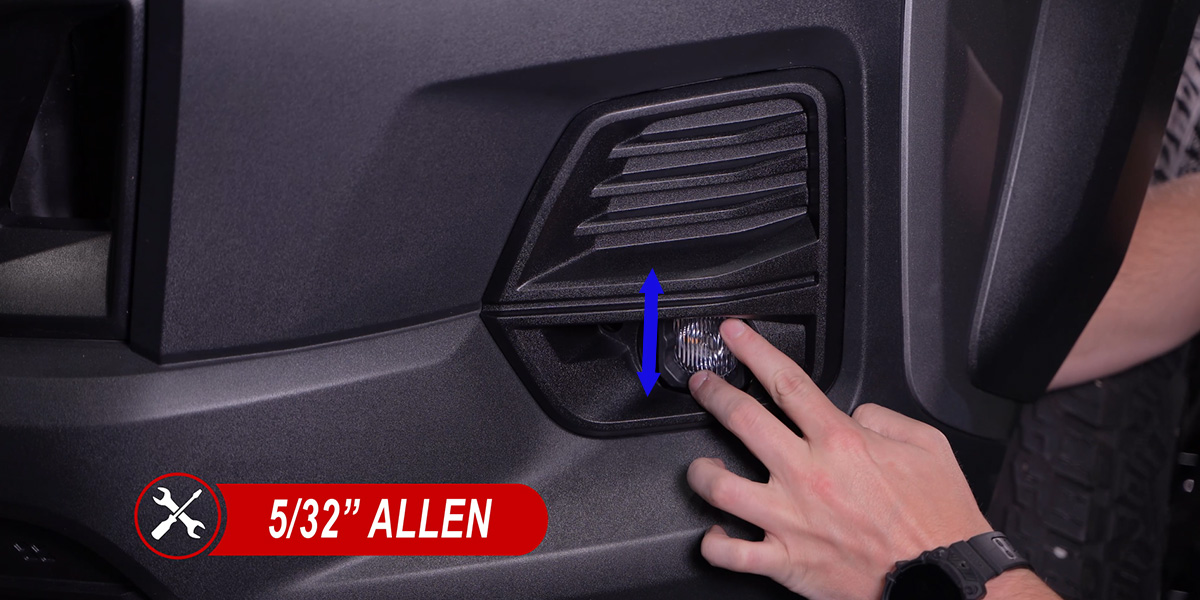
The installation is now complete. Enjoy your new SSC1 Add-On LED Fog Light Kit for the 2023-2026 Chevrolet Colorado!
Questions About the Installation?
If you have any questions about installing the SSC1 Add-On LED Fog Light Kit for the 2023-2026 Chevrolet Colorado, contact us via our support page.
Where Can I Buy the SSC1 Add-On LED Fog Light Kit for the 2023-2026 Chevrolet Colorado?
If you're ready to upgrade your 2023-2026 Chevrolet Colorado with the SSC1 Add-On LED Fog Light Kit, visit DiodeDynamics.com or use our Dealer Locator to find a dealer near you.
Want to know more about Diode Dynamics products? Visit DiodeDynamics.com and subscribe to our newsletter for new product releases and more!
This Installation Guide is for the following SKUs: DD7804, DD7805

Share This Post